New: Generate a Fresh Embed Link to Fix Patreon Re-Embeds


If you've ever deleted a Patreon post and re-pasted the same ReedTV video link into a new one, you may have seen it render as a plain link instead of a video player. We dug into this thoroughly, and the cause is on Patreon's side: Patreon caches how a URL should embed, keyed to that exact URL. Once it has cached a verdict for a link, re-using the same link can return that stale result — and it affects other embed providers too, not just ReedTV.
We can't change how Patreon caches, but we've shipped a clean, one-click way around it.
Meet the "Generate new link" button
Open any video from your Dashboard or the Videos page, and you'll find a new Fresh embed link section with a Generate new link button. Click it and ReedTV creates a brand-new URL that points to the same video. Paste that fresh link into Patreon and it resolves as a video player again.
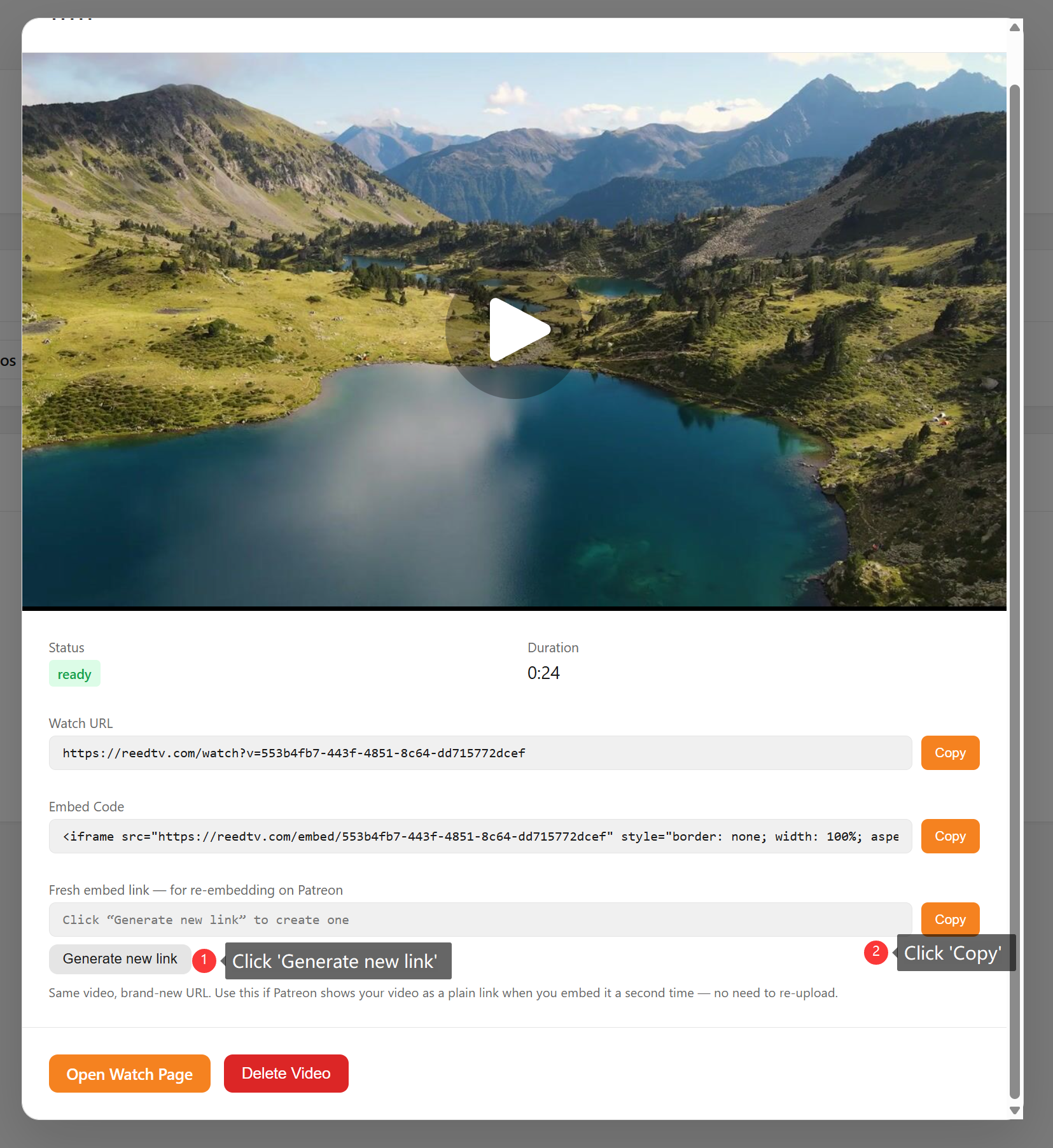
Same video, brand-new URL
The fresh link is just your normal watch URL with a unique tag added to the end. To Patreon it looks like a URL it has never seen before, so it fetches a clean result and embeds your player correctly. To you, nothing about the video changes — same player, same analytics, same content.
Your old links keep working
Generating a new link never breaks anything. It doesn't re-upload, re-encode, or replace your video, and it doesn't invalidate your existing links. Your original URL and every fresh link you've ever generated all keep working at the same time. Need another one? Click the button again for a new unique link.
When to use it
- You deleted a Patreon post and want to re-embed the same video in a new post.
- A previously working embed suddenly shows up as a plain link.
- You're scheduling the same video across multiple posts and want each to embed cleanly.
Available in the API too
Automating your publishing workflow? The fresh link is available programmatically via the new ReedTV API: GET /api/videos/{publicId}/fresh-link returns a ready-to-paste freshUrl. See the developer docs for details.